
- September 27, 2026
- by admin
- Uncategorized
- 0 Comments
Can Google Search Console Track Your WhatsApp Links? Here’s the Honest Answer
Somewhere between setting up a WhatsApp “Chat With Us” button and checking whether it’s actually working, a lot of business owners end up staring at Search Console wondering why the numbers don’t add up. If that’s you, here’s the short version: Search Console was never built to track WhatsApp link activity, and no setting or property change will make it do that. But it does play a real, specific role in the bigger picture — and once you know what that role is, the rest of your tracking setup gets a lot easier to plan.
What Search Console Actually Sees
Search Console reports on exactly one relationship: the one between Google Search and your indexed pages. It tells you which queries showed your pages, how many people clicked through, and where those pages rank. That’s it. The moment a visitor lands on your page and then taps a WhatsApp button, they’ve left the part of the journey Search Console has any visibility into. There’s no “WhatsApp clicks” metric hiding in a report tab, no toggle in settings, and no update coming that changes this — it’s a structural limit of what the tool measures, not a missing feature.
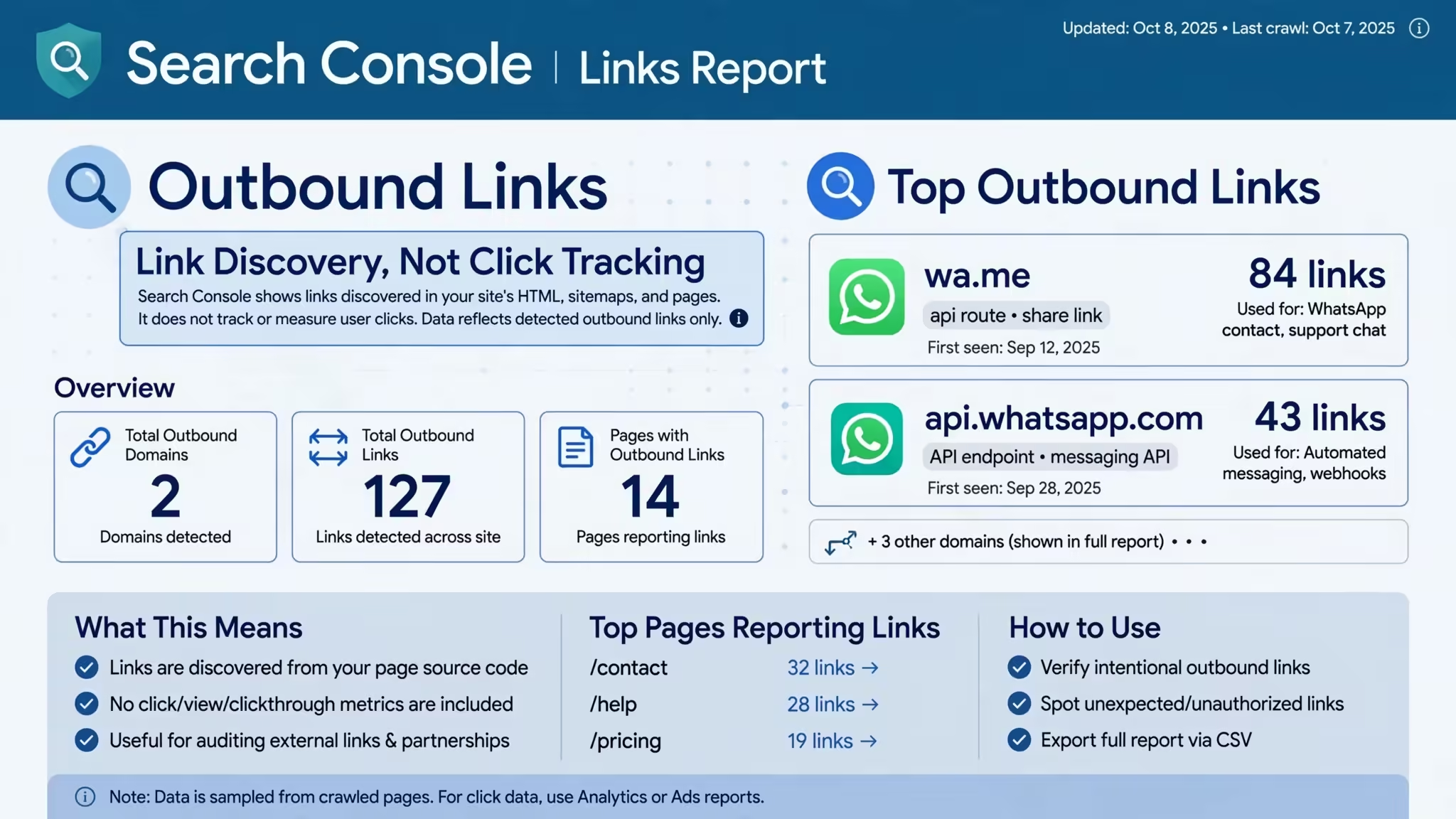
Where people get tripped up is the Links report. If your page has a click-to-chat button, that’s technically an outbound link to wa.me or api.whatsapp.com, and Search Console’s crawler does register that the link exists on your page. That’s link discovery, though — not click tracking. Seeing the domain listed tells you Google noticed the link. It tells you nothing about whether a human ever tapped it.
So What Should “WhatsApp Link Tracking” Actually Mean?
Reframe the goal slightly and this gets much easier: you’re not trying to make Search Console do something it can’t. You’re trying to build a tracking chain across two tools that were designed to work together.
Search Console’s job: confirm your page is indexed, ranking, and getting organic clicks — the reason someone reached your WhatsApp button in the first place.
GA4’s job (via Google Tag Manager): fire an event the moment someone actually clicks that button, tagged with the page, the traffic source, and any UTM parameters you’ve attached to the link.
Set up a simple outbound-click trigger in GTM scoped to wa.me and api.whatsapp.com, and you’ll have a whatsapp_click event showing up in GA4 within minutes. Cross-reference that against Search Console’s query and page data, and you get the full picture: which search terms brought someone to the page, and whether that visit actually converted into a chat.
A Quick Setup Checklist
- Verify your Search Console property at the domain level, not just URL-prefix, so you’re not missing data across www/non-www or http/https variants
- Confirm your WhatsApp click-to-chat links are clean (no stray characters, correct country code, properly encoded message text)
- Add a GTM trigger for outbound clicks to
wa.meandapi.whatsapp.com - Tag your click-to-chat links with UTM source/medium so GA4 can attribute the click back to the channel that drove it
- Check Search Console weekly for the organic queries actually landing people on your WhatsApp CTA pages — that’s your real signal for which content is doing the work
Where This Gets Tedious (And Where We Come In)
None of this is complicated in isolation. It gets messy when you’re managing it across a dozen landing pages, several ad campaigns, and a WhatsApp number your team is trying to keep responsive to real leads at the same time. At Maya Digital Desk https://api.whatsapp.com/send/?phone=919477359231, this exact stack — Search Console, GA4, GTM, and WhatsApp automation — is something we set up and monitor for clients daily, alongside the SEO work that gets people to the page in the first place. If your WhatsApp numbers and your Search Console numbers have never once been in the same conversation, that’s usually the first gap worth closing.