- September 27, 2026
- by admin
- SEO News
- 0 Comments
How to Actually Read “api.whatsapp.com” Data Inside Search Console
There’s a specific kind of confusion that happens when someone opens Search Console, filters through the Links report, and spots api.whatsapp.com sitting there like it’s some kind of anomaly. It isn’t rare, and it isn’t automatically bad — but knowing exactly where to look and what each location means will save you a lot of guessing.
Where “api.whatsapp.com” Actually Shows Up
There are two places this domain can appear in your Search Console account, and they mean completely different things.
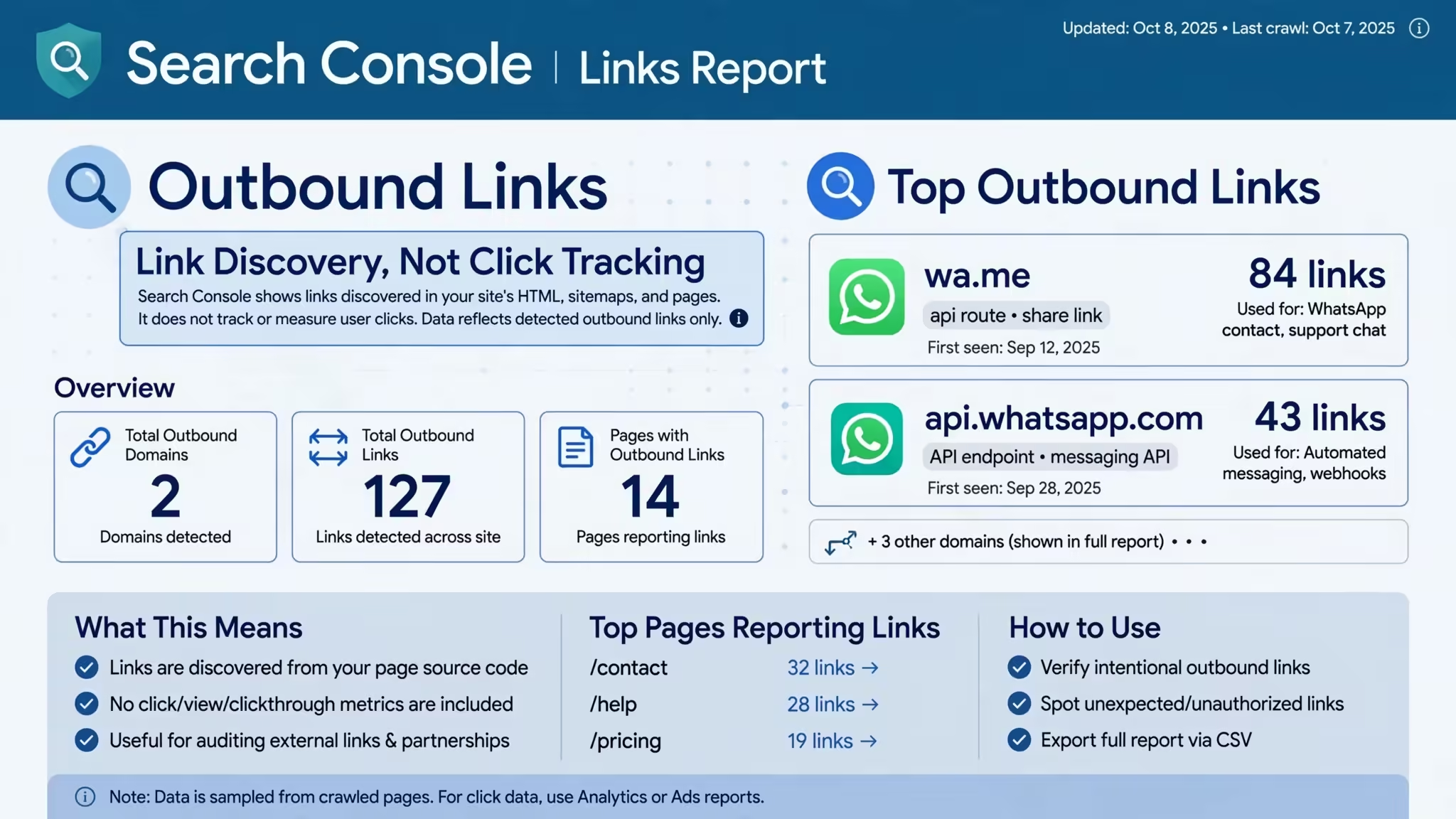
In the Links report, under external links or top linked domains: This means one of your own pages contains a link pointing out to api.whatsapp.com — almost always your click-to-chat button. Google’s crawler picked it up while indexing your page. This is expected and, in most cases, completely fine.
In your Pages report, as an unfamiliar indexed URL you didn’t create: This is the version worth paying attention to. If you’re seeing pages on your own domain you don’t recognize, redirecting through or referencing api.whatsapp.com in ways you didn’t build, that’s a sign of injected spam content — a known pattern on compromised WordPress sites, since messaging-app domains are rarely blocklisted and make convincing bait for fake “support” or “verification” links.
The fix depends entirely on which of these two you’re looking at, which is why it’s worth slowing down before assuming the worst.
A Simple Diagnostic Flow
- Open Links > External links > Top linked pages, and check whether the pages listed are ones you actually control and recognize.
- If yes — that’s just your own WhatsApp button being crawled. No action needed.
- If you see pages you don’t recognize, jump to Security Issues. If Google has flagged anything, you have your answer, and cleanup starts there.
- If Security Issues is clean but the pages still look unfamiliar, check Pages > Indexed for a spike in URL count you can’t explain, and review recent plugin or theme changes on your site.
Traffic vs. Links — A Distinction Worth Repeating
Search Console will never show you “traffic sent to api.whatsapp.com,” because it doesn’t track outbound clicks at all — only which links exist on a crawled page. If you want to know how many people actually clicked your WhatsApp button, that’s a Google Analytics 4 question, answered with an outbound-click trigger in Google Tag Manager. The two tools complement each other: Search Console confirms the link exists and is indexed cleanly; GA4 tells you if anyone used it.
Turning This Into an Actual Workflow
Once you know which bucket you’re in, the useful next step is building a habit around it rather than checking reactively. A monthly Links report review catches spam injection early, before it affects rankings. A GA4 dashboard filtered to WhatsApp click events tells you whether your CTA is actually converting. Together, they replace the guesswork of “why is this showing up” with an actual, ongoing read on both your site’s technical health and your WhatsApp lead flow.
This is the kind of recurring technical SEO check that’s easy to skip when you’re focused on content and campaigns — which is exactly why it’s part of the standard audit process we run for clients at Maya Digital Desk https://api.whatsapp.com/send/?phone=919477359231. If you’d rather have someone flag the injected-link version before it becomes a ranking problem than find it yourself six weeks later, that’s a quick conversation to have.